Coming to Kickstarter · lifetime licences

Every model. Every printer. One place.

LayerForge sorts the thousands of files you've downloaded, runs your printers as one farm, and helps you make the models that don't exist yet.

Files stay on your PC · From £19, once · Windows 10 & 11

Stop juggling five tools and a folder called “new new”

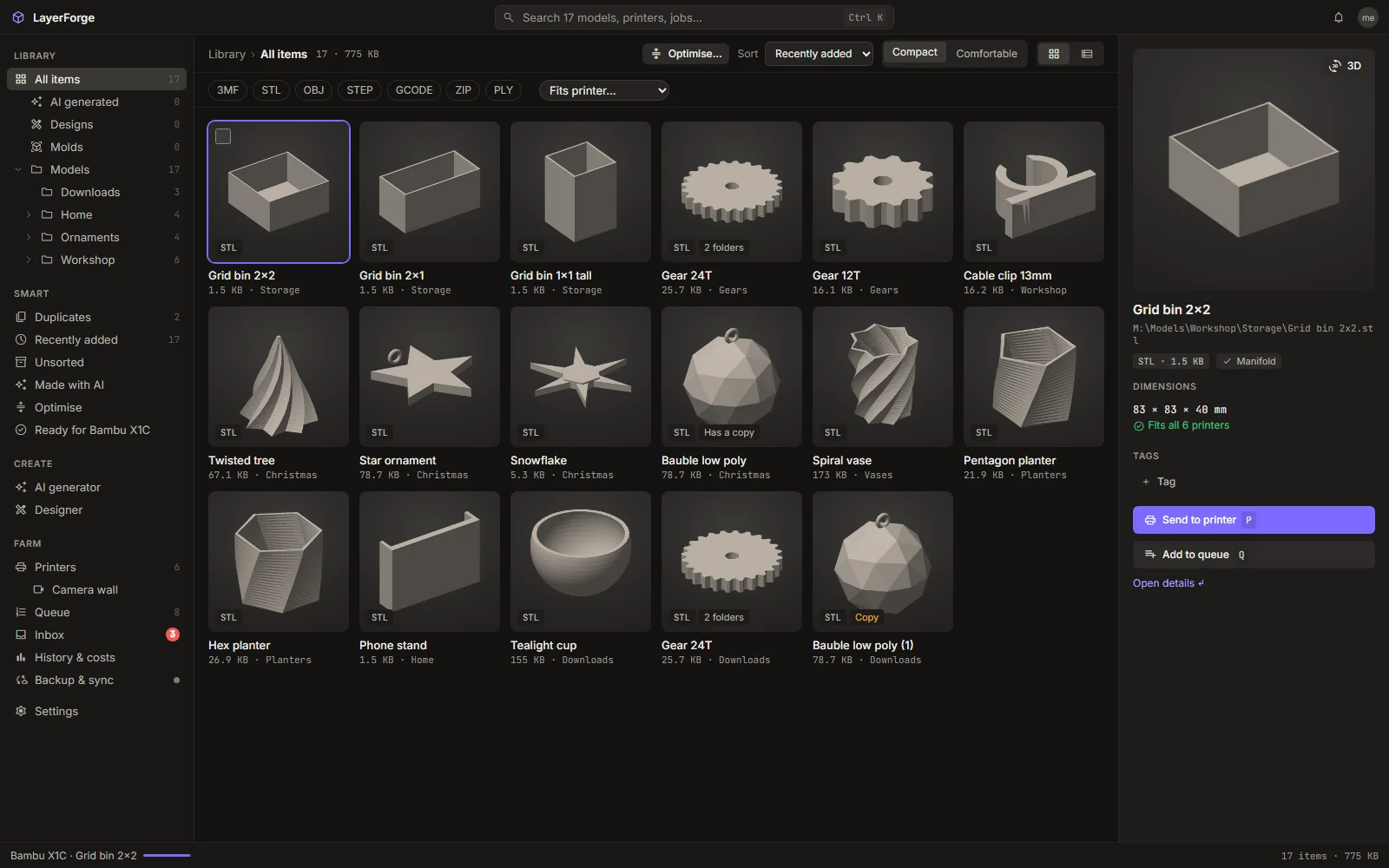
A library that finds itself

Point it at the folders you already have. Nothing is moved or copied.

  • Thumbnails, sizes and triangle counts for STL, 3MF, OBJ, PLY, STEP, G-code and ZIP files
  • Folders inside folders in the sidebar, the way you organised them
  • Duplicates explained: download copies flagged, kit parts and numbered sets (×2) left alone
  • Compare any models side by side, with a full-file check that they're really identical
  • “Fits on” every printer you own, and a Downloads inbox that suggests where new files go
A library that finds itself

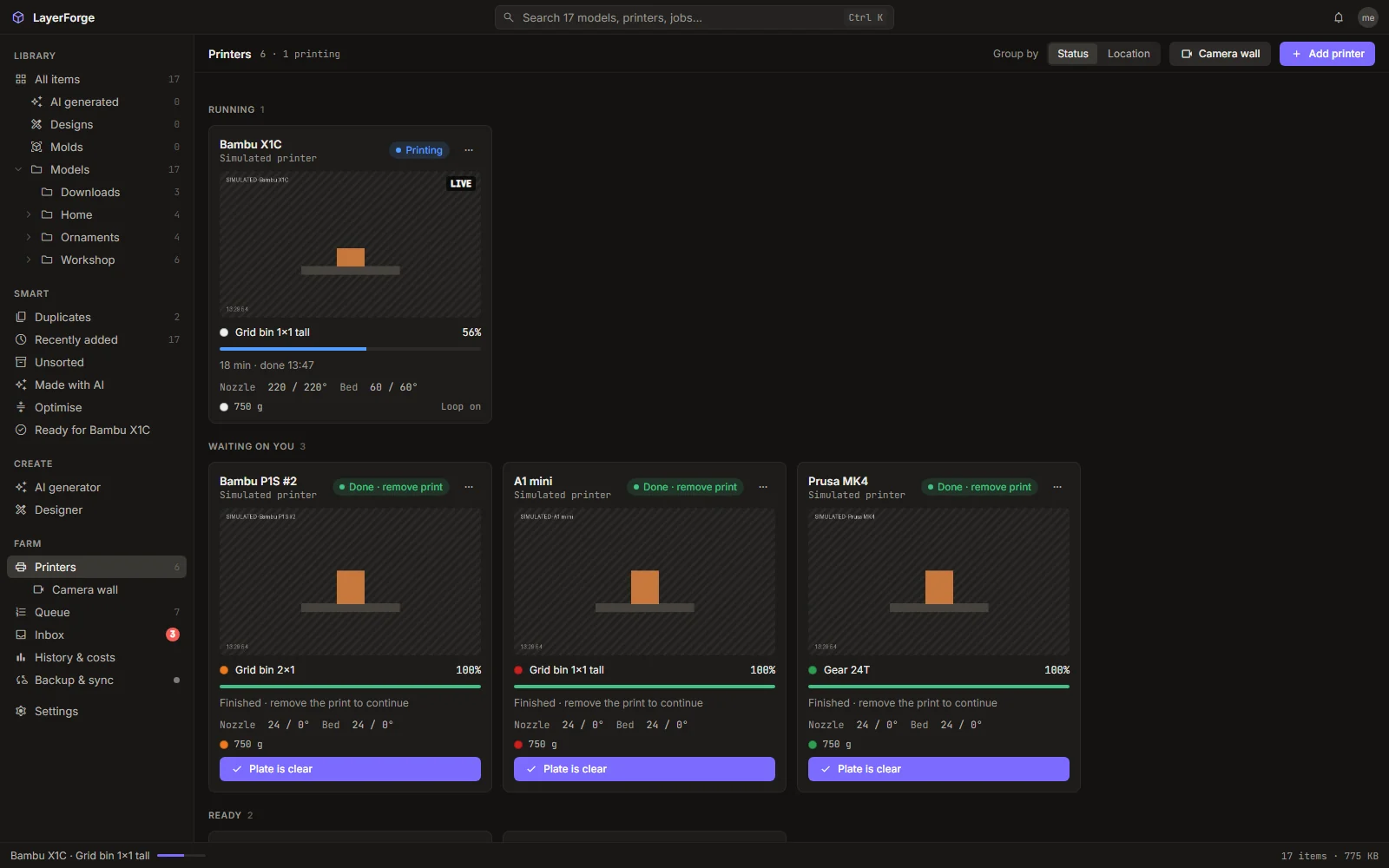
A print farm that never prints on a part

Queue jobs and LayerForge picks the printer, and tells you why.

  • Bambu Lab (LAN), Klipper/Moonraker, OctoPrint and PrusaLink, plus Tasmota and Shelly smart plugs
  • Automatic routing by bed size, nozzle, material, colour and filament left
  • After every print, it waits for “plate is clear”, unless the printer clears its own plate
  • When something goes wrong it pauses, holds the next job, turns heaters off and cuts the plug, then tells you
  • History & costs: every run, success rate, filament, energy and cost
A print farm that never prints on a part

Make things that don't exist yet

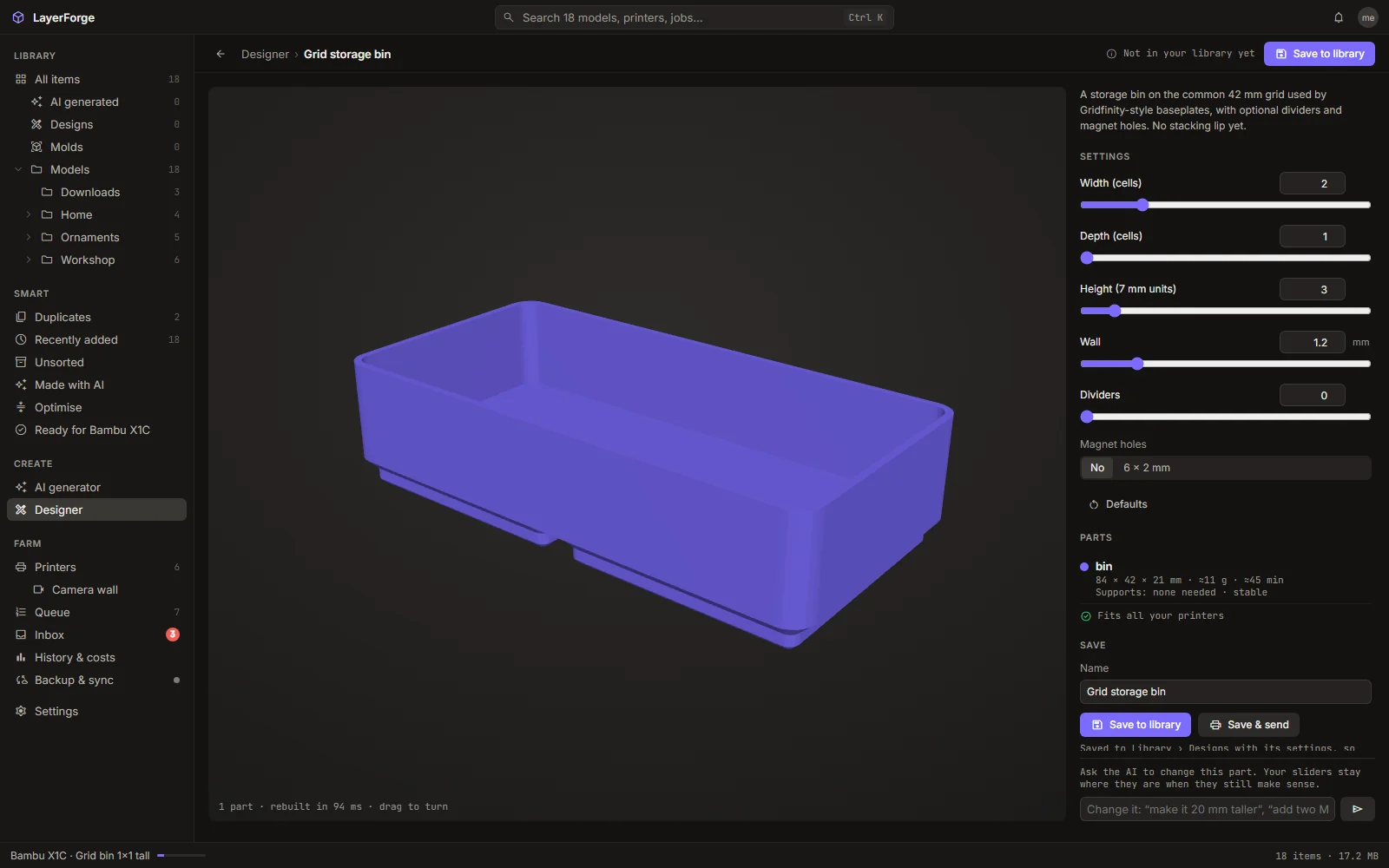
From an idea to a print-ready file without opening a CAD program.

  • Describe a part (“a wall bracket for a 32 mm pipe with M4 holes”) and AI designs it, with sliders
  • Then just chat to change it: “make it 20 mm taller”, “add two magnet holes”
  • Parametric generators: tolerance test, grid storage bins, boxes with lids, cable clips
  • AI model generator: a theme becomes a set of 3D models, repaired and scaled for printing
Make things that don't exist yet

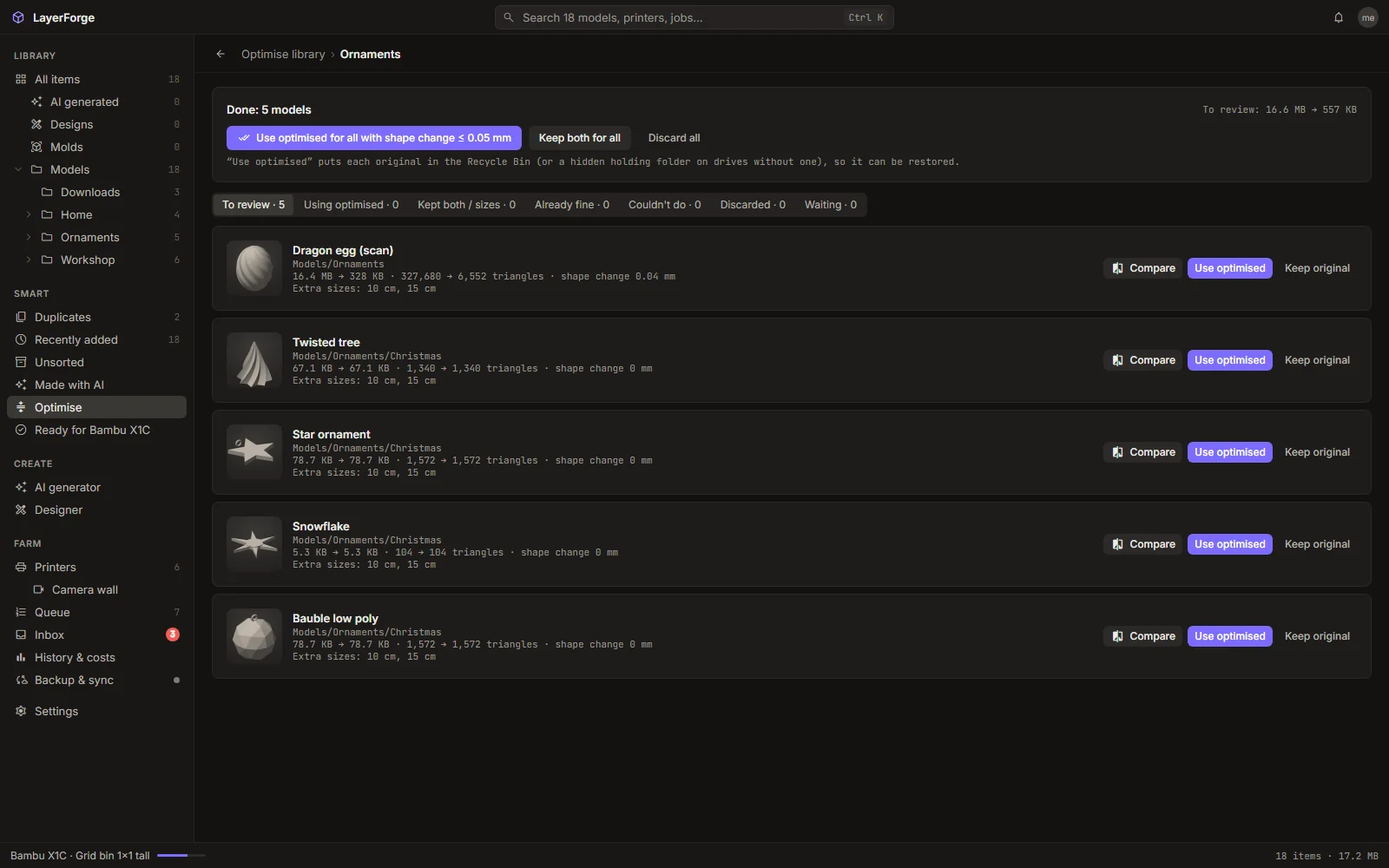
Shrink your whole library

AI models and scans are often 50–100 MB each. Most of that is detail no printer can show.

  • Fewer triangles, fixed meshes and flat bottoms, for hundreds of models at once
  • Extra sizes in one go: make your ornament set at 10 cm and 15 cm
  • Runs in the background without slowing your PC down
  • Nothing changes until you've compared each result with the original, side by side
Shrink your whole library
Print tools for every model

Print tools for every model

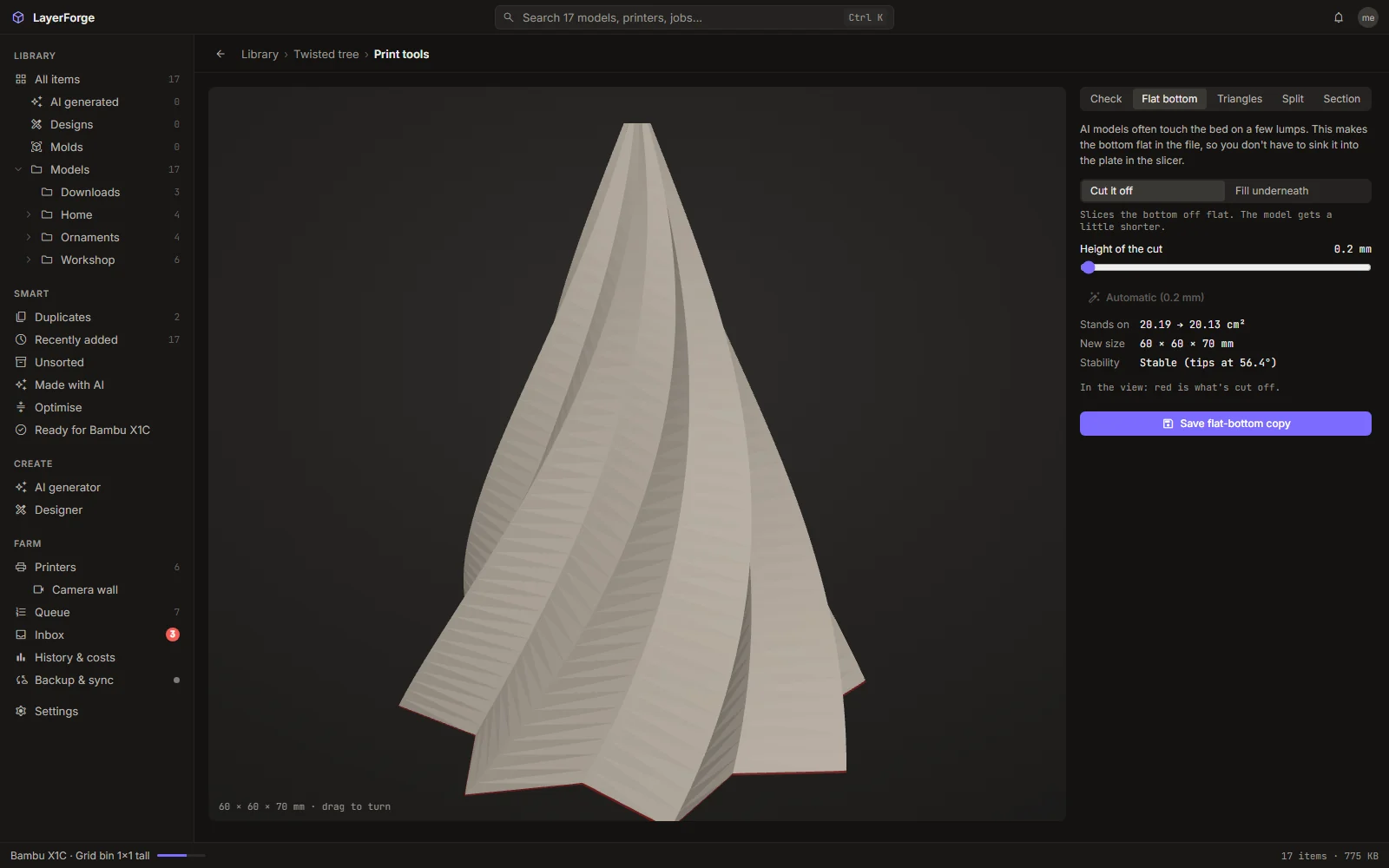
The fixes you'd otherwise do by hand in a slicer, every time.

  • Flat bottom: cut lumpy AI bottoms flat, or fill underneath to keep the height
  • Fewer triangles: a 97 MB AI model became 2 MB, within 0.05 mm of the original
  • Split to fit: oversized models cut into pieces for your bed, with alignment pins
  • Test a section: print just the snap-fit or the thin wall first
  • Print check: supports, tipping over, weight and time, which printers it fits
Molds from any model

Molds from any model

For candles, soap, resin and plaster casting.

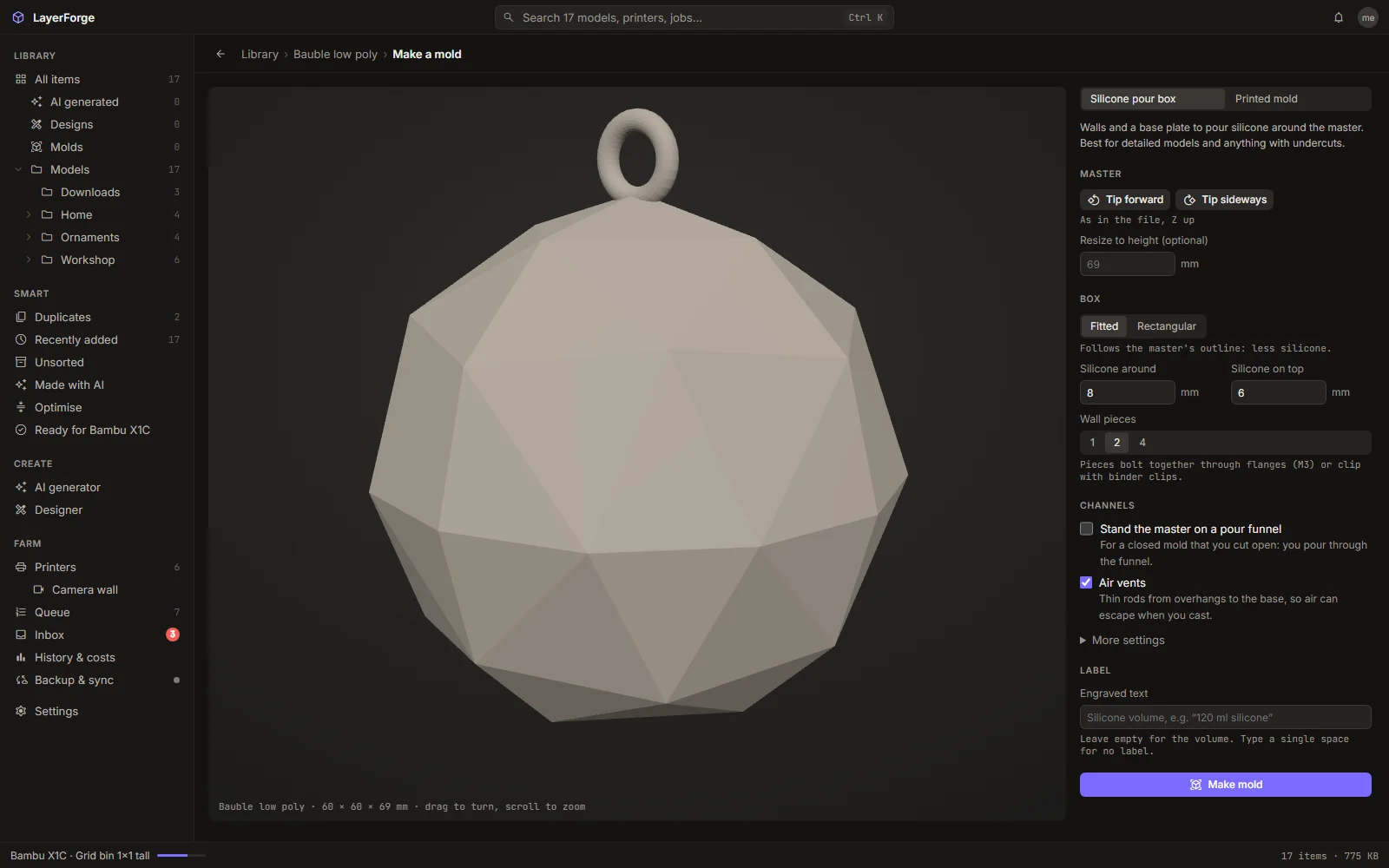
  • Silicone pour boxes that follow the model's outline (less silicone) with screw-together walls
  • Rigid two-part printed molds, turned and split for the fewest undercuts
  • Keys, bolt holes, pour channels and air vents added for you
  • Silicone and casting volumes worked out, and engraved on the mold
AI on your terms

AI on your terms

Use the cloud when you want quality, or run open models on your own PC for free.

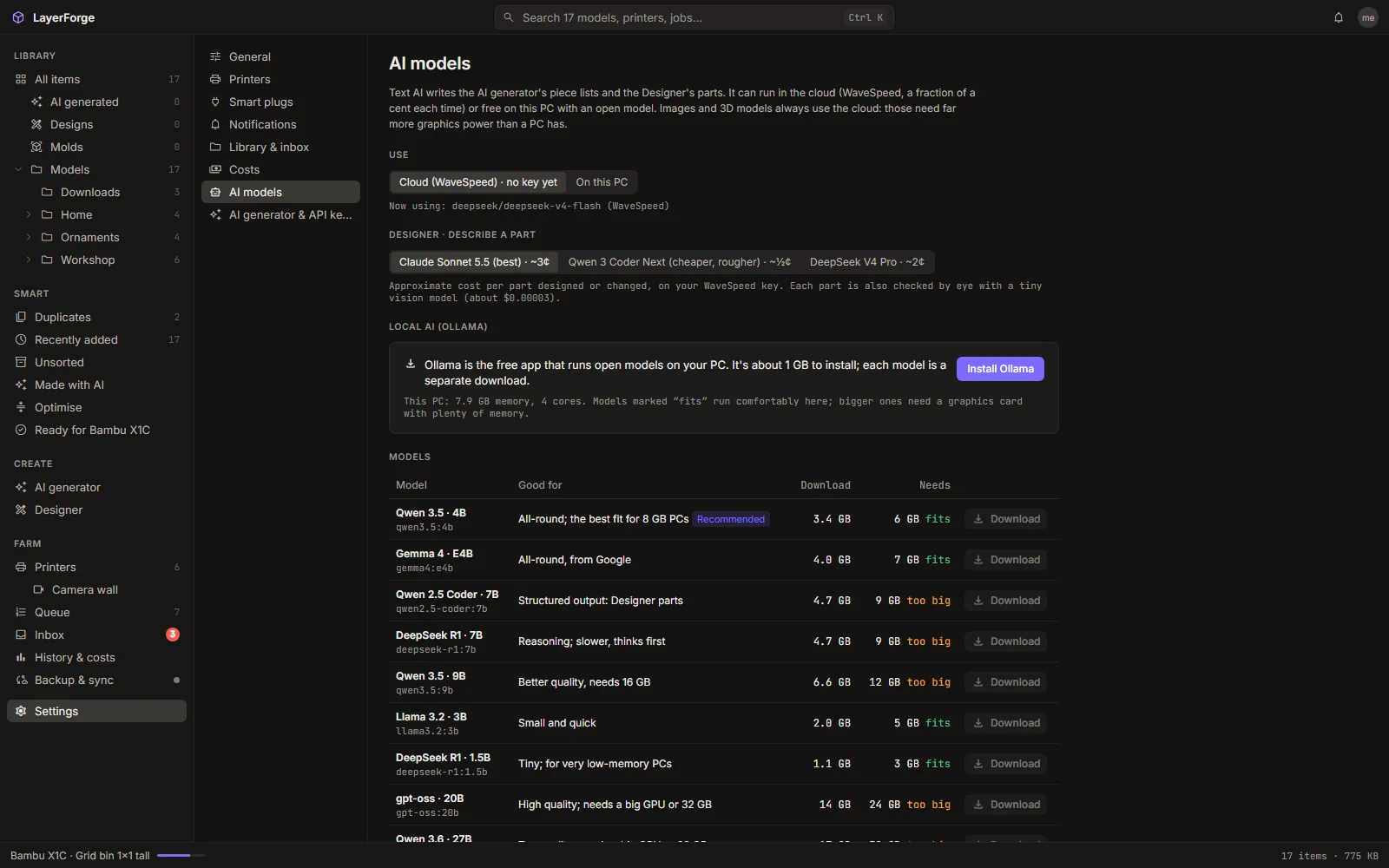
  • One-click install of local AI (Qwen, Gemma, DeepSeek and more) through Ollama
  • It tells you which models fit your PC
  • Cloud AI runs on your own API keys: you pay the provider directly, a few pence at a time
  • Images and 3D models from AI use the cloud; everything else can stay on your PC

£0 to run open AI models on your own PC, installed in one click.

Coming in 1.0

Printers that clear their own plates

FarmLoop and plate-swapping mods: set it per printer and the next job starts as soon as the plate's clear.

For plate-clearing makers

Small files. Zero squashed parts.

98% smaller

A dense scan, optimised in bulk

Before 16.4 MBAfter 328 KB

327,680 triangles became 6,552, and the surface moved by 0.04 mm: less than a nozzle can show. Nothing changes until you've compared each one.

0

prints started on top of an old part. LayerForge waits for “plate is clear” every time.

4 platforms

Bambu Lab, Klipper, OctoPrint and PrusaLink in one queue, plus Tasmota and Shelly plugs to cut the power when something goes wrong.

Kickstarter · goal £10,000

Pay once. Keep it for life.

Backers get a lifetime licence with lifetime updates. After the campaign it's a subscription, so this is the only one-off price.

All tier details

Questions

What is LayerForge?

A Windows app for people with a lot of 3D printing going on. It organises the model files you already have, runs your printers as one farm, and helps you make new models, with a designer, AI tools, print fixes and mold making built in.

When can I get it?

LayerForge launches on Kickstarter first, with lifetime licences for backers. Join the list and we'll email you on launch day.

Do my files get uploaded anywhere?

No. Your library stays on your PC and LayerForge never moves or copies your files without asking. Only the AI features you choose to use send anything to the cloud, and you can run AI locally instead.

Is there a free version?

There's no free tier, but there's a 7-day free trial with everything unlocked. The free tools on this site are free for everyone, for good.

All questions →

Be first in line for a lifetime licence

Early-bird places are limited. We'll email you once, the moment the campaign goes live.